Make vs n8n for Beginners: No-Code Automation Compared (2026)
We built the same webhook workflow on Make's free plan and n8n Cloud's trial on October 22, 2026. Make charged 2 credits for 2 modules. n8n's manual runs didn't count toward the 1,000 execution cap. Here's what beginners should pick.
The short answer
For most beginners, Make is the easier start: a visual builder in the browser and a free plan with no end date. Pick n8n if you can run Docker or want AI agents.
Prices checked on the vendor's own page. Some links are affiliate links (disclosure).
Quick verdict: Pick Make if you want a visual builder that works in a browser, a free plan with no end date, and enough credits for light automation. Pick n8n if you can run Docker on a server, want unlimited executions at no cost, or plan to wire up AI agents. For most beginners, Make is the easier start.
At a glance
| Make | n8n | |
|---|---|---|
| Starting price | Free plan, then $9/mo yearly (Core) | EUR 20/mo yearly (Starter Cloud), self-hosted free |
| Free plan | Yes, 1,000 credits/mo, 2 active scenarios, no end date | 14-day cloud trial only; self-hosted Community Edition free forever |
| Core idea | Visual no-code automation for non-technical users | Flexible workflow automation, cloud or self-hosted |
| Billing model | Per-credit (1 credit = 1 module action) | Cloud: per-execution (one run = one execution, any number of nodes); self-hosted: free |
| Apps / integrations | 3,500+ listed on pricing page | 1,000+ built-in nodes, plus community nodes |
| Self-hosting | No | Yes, MIT license, Docker or npm |
| Mobile app | No native mobile app; browser on phone works | No native mobile app; self-hosted accessible via browser |
| AI agent support | Limited (some AI modules cost extra credits) | Built-in AI Agent nodes with free credits for Anthropic, OpenAI, Gemini and others |
| Best for | Beginners who want a quick start in the browser | Technical users who want full control or AI agent workflows |
What we tested
On October 22, 2026 we built the same kind of workflow on both tools: a webhook that receives a name and email, then a step that writes a greeting message. Two modules on Make, two nodes on n8n.
Make: webhook and set variable (2 modules, 2 credits)
On a free Make account we created a scenario with a Custom webhook trigger and a Tools > Set variable module. We clicked Run once, called the webhook from a browser, and the scenario returned “Hello Test <a@b.com>” in under a second.
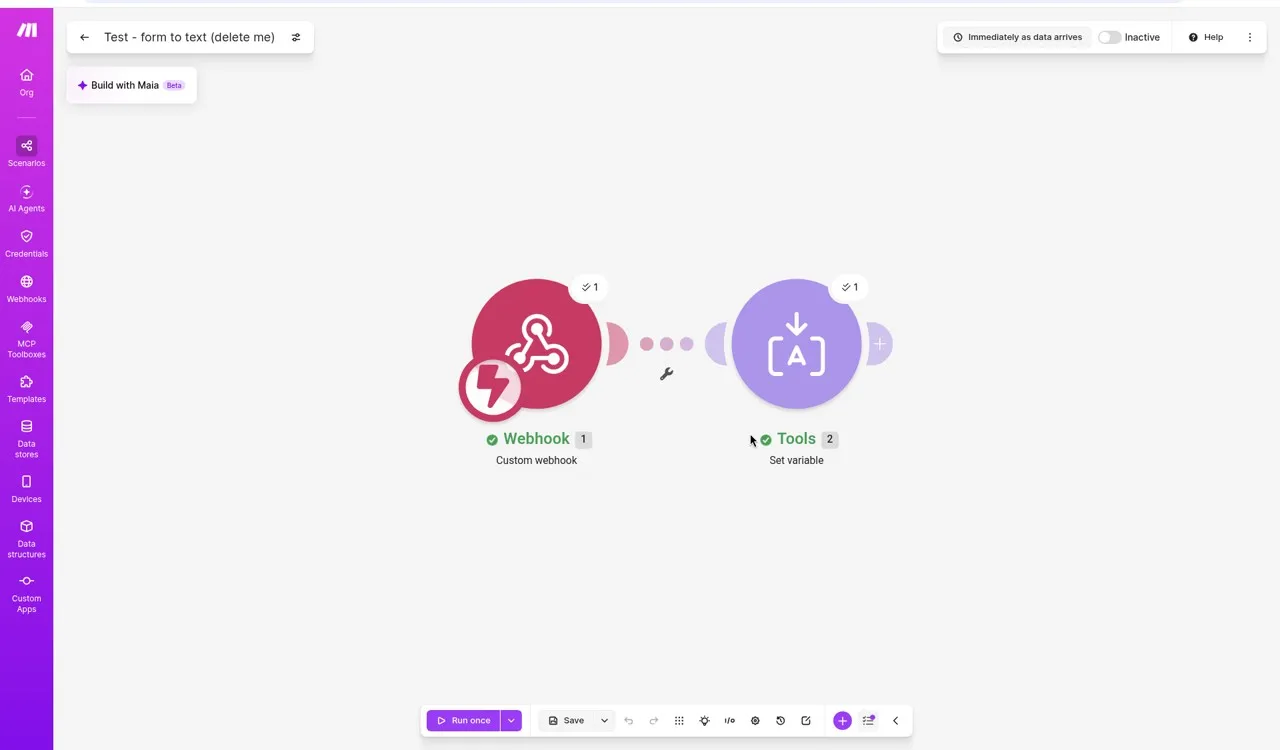
The history page confirmed 2 credits used and 2 operations. That matches Make’s rule: 1 credit per module action. Routers and error handlers cost zero credits.
We also tested on October 18 with a three-module scenario (HTTP, Set variable, Compose a string) for our Zapier alternatives comparison. That run cost 3 credits. Both tests confirm the same math.
n8n Cloud: webhook and edit fields (2 nodes, 0 executions counted)
On a free 14-day n8n Cloud trial we built “Test - form to text”: a Webhook trigger (GET) feeding into an Edit Fields node. The expression field used n8n’s syntax: Hello {{ $json.query.name }} <{{ $json.query.email }}>. A live preview showed the output before we ran anything.
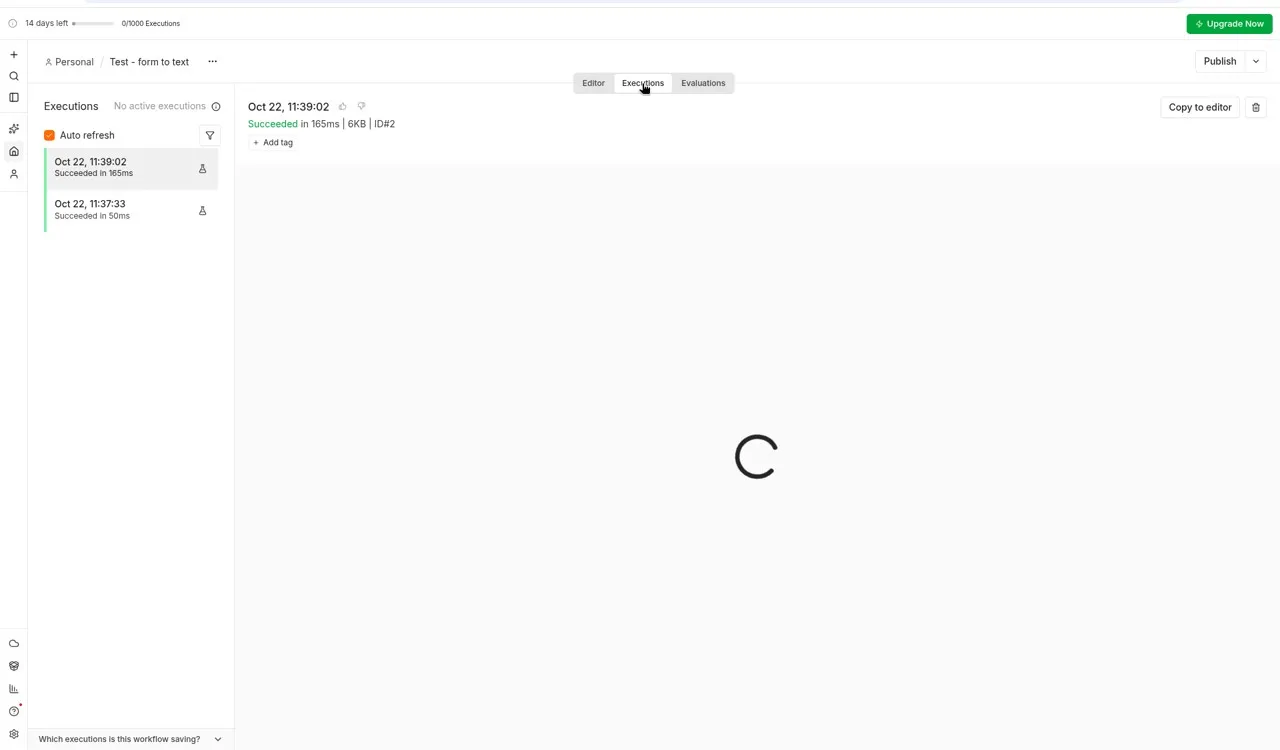
We ran the workflow twice. Both succeeded in under 200 milliseconds. The Executions tab listed both runs, but the trial bar still read “0/1,000 Executions.” Manual test runs did not count toward the cap. Only production executions (after you click Publish) count.
One thing that tripped us up: n8n gives you two webhook URLs. The test URL works only while you’re listening in the editor, and it accepts one call before going back to 404. The production URL works only after you publish the workflow. We hit 404 twice before figuring this out.
Build a scenario on Make's free plan →How each tool builds a workflow
Make uses a visual canvas. You drag modules from a panel, connect them with lines, and click Run once to test. Each module shows a green check or red warning after a run, and you can expand any module to see the data that passed through it. Routers and filters let a single scenario branch in two or more directions. The editor runs in a browser with no downloads.
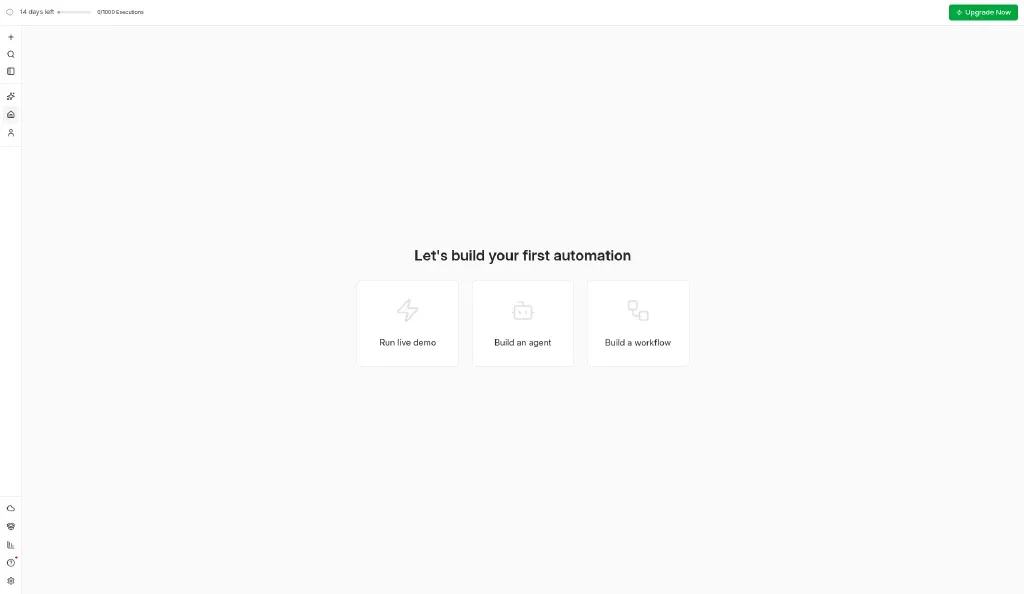
n8n uses a similar canvas with nodes and connections. The difference shows up fast: n8n’s expression fields use {{ $json.path }} syntax, and every node can run JavaScript or Python through a Code node. The home screen also offers “Build an agent,” which drops you into an AI Agent workflow with pre-wired LLM nodes. The cloud version runs in a browser. The self-hosted version runs on any machine with Docker or Node.js, and you own the server, the data and the uptime.
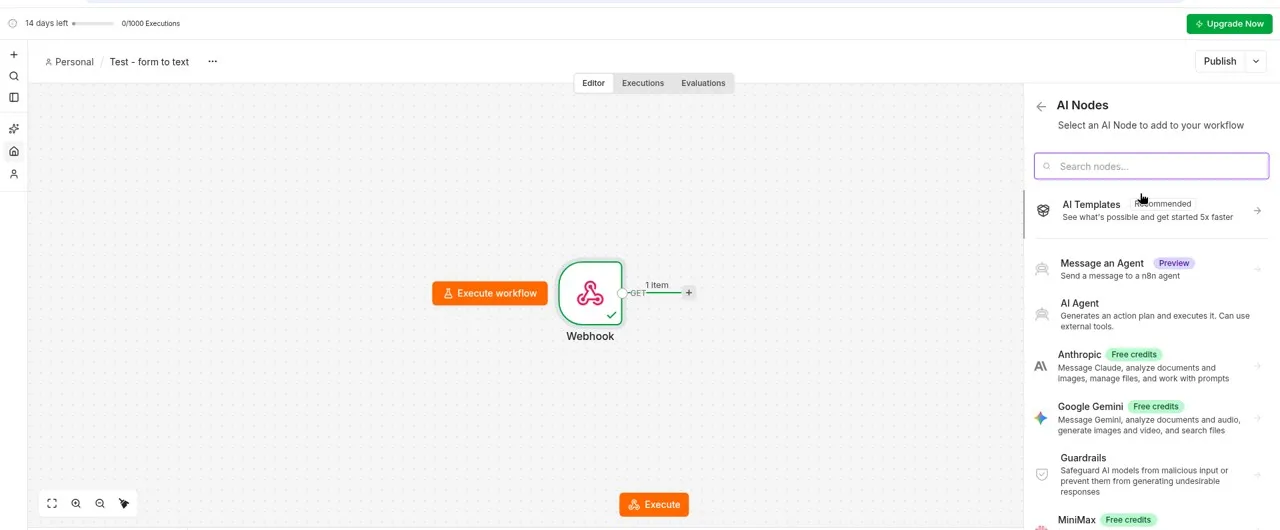
n8n’s AI Nodes panel lists Anthropic, Google Gemini, OpenAI, Qwen, MiniMax and Moonshot Kimi, most with “Free credits” badges. If you want to build an AI agent that calls tools, summarizes documents, or answers customer questions, n8n has that wired into the workflow builder. Make has some AI modules, but the built-in agent framework is where n8n pulls ahead.
For a beginner who has never built an automation, Make’s free plan is the lower-friction start. For someone who already writes scripts or wants AI agents in their workflows, n8n is hard to match.
Set up Make in five minutes
These are the steps we followed on a free Make account on October 22, 2026.
- Open Make's signup page and create a free account. No card needed.
- Click Create a new scenario. The canvas opens with an empty circle.
- Click the circle and search for your trigger (we picked Custom webhook). Name the webhook and copy the URL.
- Click the small plus on the right edge of the module to add the next step. We added Tools > Set variable.
- Click Run once at the bottom left. Call the webhook URL from a browser or API tool. A green check on each module means it worked.
- Check the scenario history for credit use. Ours showed 2 credits for 2 modules.
One catch: if you call the webhook before clicking Run once, the data sits in a queue. You need to click “Use existing data” to process it. The text editor also has an autocomplete popup that can garble what you’re typing if a field value looks like a function name.
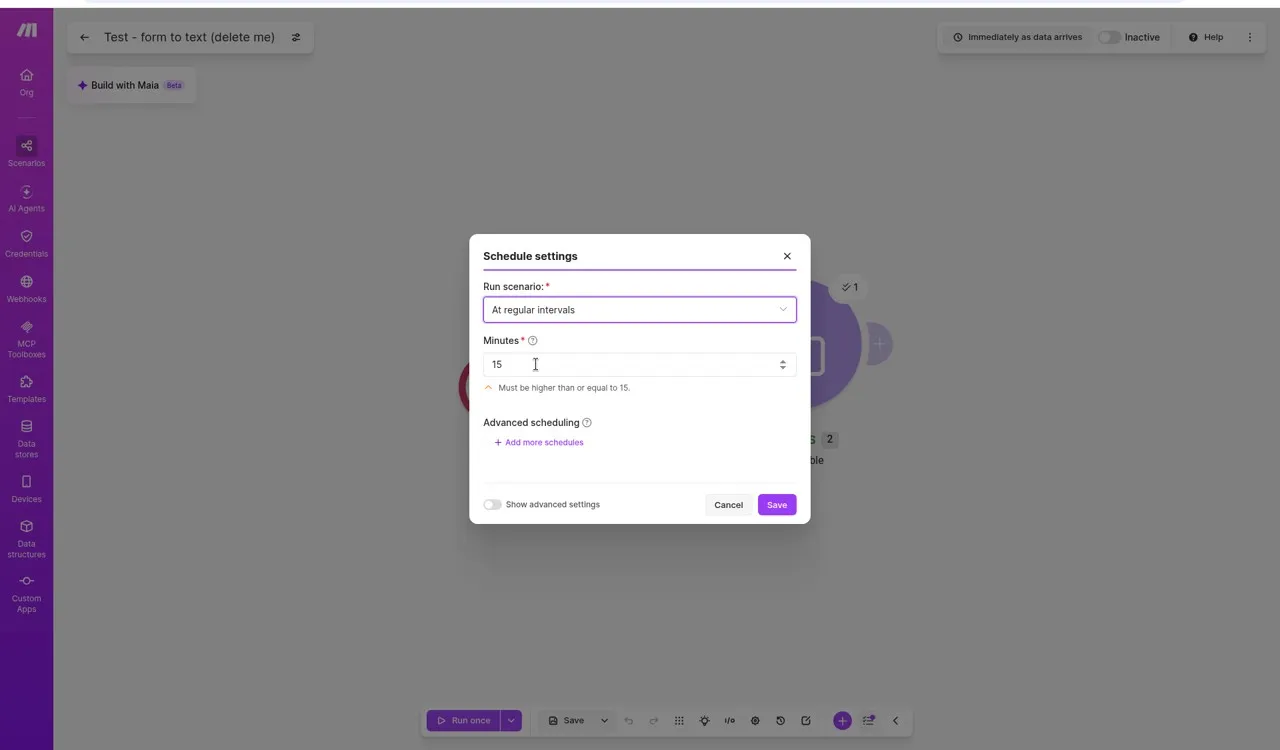
To run a scenario on a schedule, the free plan’s minimum interval is 15 minutes. Core plan users can go down to 1 minute.
Set up n8n Cloud in five minutes
These are the steps we followed on an n8n Cloud free trial on October 22, 2026.
- Go to n8n Cloud's signup page and register with a company email. No card needed. The 14-day trial starts right away.
- On the home screen, click Build a workflow.
- The trigger picker opens on the right. Pick On webhook call. The editor creates a Webhook node.
- Click the plus on the right edge of the Webhook node. Search for Edit Fields (Set). Add a field called “message” and type your value. For expressions, type
{{ $json.query.name }}and watch the live preview update. - Click Listen for test event in the Webhook node. Open the test URL in a browser (add
?name=Test&email=a@b.comto the URL). The workflow runs once and shows results at the bottom. - Check the Executions tab. Your manual runs are listed, but the counter at the top still reads 0/1,000 because test runs don’t count.
The expression syntax ({{ }} with $json.path) takes a minute to learn. n8n’s editor shows the full webhook payload including all HTTP headers, cookies and IP addresses, which is useful for debugging but overwhelming the first time.
Integrations
Make lists 3,500+ app connections on its pricing page. Most popular SaaS apps (Google Workspace, Slack, Stripe, Shopify, HubSpot, Notion) have native Make modules. The free plan can use any of them.
n8n lists 1,000+ built-in nodes. Its community node system lets anyone publish a custom node to npm, and n8n Cloud supports installing community nodes. If an app has a REST API but no built-in node, n8n’s HTTP Request node and Code node handle it. Self-hosted users can install any npm package.
Both connect to standard trigger sources: webhooks, scheduled polls and app-specific events. Make checks for new data at intervals (every 15 minutes minimum on the free plan). n8n Cloud checks every 5 minutes on Starter.
Pricing (verified October 22, 2026)
Make
| Plan | Billed monthly | Billed yearly | Credits per month |
|---|---|---|---|
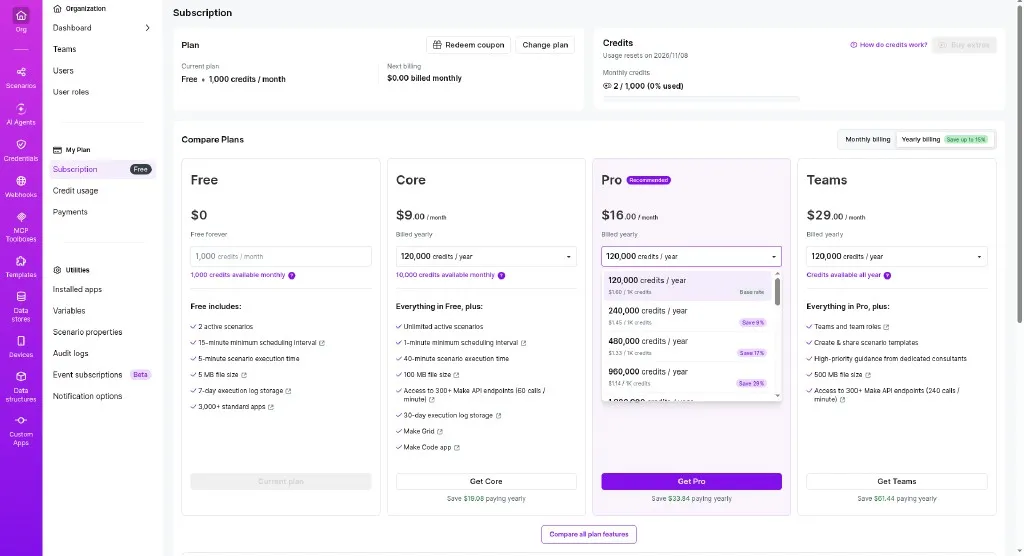
| Free | $0 | $0 | 1,000 |
| Core | $10.59/mo | $9/mo | 10,000 |
| Pro | $18.82/mo | $16/mo | 10,000 (more available) |
| Teams | $34.12/mo | $29/mo | 10,000 (more available) |
No card required for the free plan. Unused credits expire each month. Make charges 1 credit per module action for standard apps. Routers and error handlers cost zero. Our Make free plan guide covers what a credit means in practice.
n8n
| Plan | Billed yearly | Executions per month |
|---|---|---|
| Starter | EUR 20/mo | 2,500 |
| Pro | EUR 50/mo | 10,000 |
| Business | EUR 667/mo (self-hosted only) | 40,000 |
| Enterprise | Custom | Custom |
| Self-hosted (Community) | Free | Unlimited |
n8n Cloud counts an execution each time a published workflow runs, regardless of how many nodes it has. A 10-node workflow and a 2-node workflow both cost 1 execution. Manual test runs in the editor did not count in our trial. That’s a different model from Make’s per-module billing.
A 3-node scenario that runs 10 times a day: on Make free, that’s 900 credits a month (fits). On n8n Starter, that’s 300 executions (fits, with room). On n8n self-hosted, it’s free. All plans include unlimited users, workflows and workflow steps.
Start on Make's free plan →Where Make wins
Make is easier to pick up. The canvas shows data flowing through modules in real time, and the function picker inside each field means you rarely write raw expressions. Our 2-module test took about five minutes from signup to a working webhook.
The free plan has no end date. n8n Cloud gives you a 14-day trial and then you pay or lose access. For someone testing automation for the first time, Make removes the clock.
Make’s app library is larger. With 3,500+ listed connections versus n8n’s 1,000+, you’re more likely to find a native module for a niche CRM or accounting tool. n8n’s community nodes can fill gaps, but finding and trusting a third-party node takes more research than clicking a built-in module.
Where n8n wins
n8n self-hosted has no execution cap and no monthly fee. If you run a VPS already, adding n8n costs nothing extra and gives you unlimited workflows.
Data stays on your server. For businesses in regulated industries, or anyone who doesn’t want customer data flowing through a third party, self-hosting is the point. Make processes everything on its own servers.
The AI agent support sets n8n apart. The node picker lists AI Agent, Anthropic (with free credits), Google Gemini, OpenAI and several more. You can drop an AI Agent node into a workflow, give it tools, and it will plan and run multi-step tasks. Make has some AI modules, but n8n’s agent framework is deeper and gives free credits to get started.
n8n is also open source (MIT license). You can read the code, file issues on GitHub, and submit patches. Make is closed source.
What we didn’t like about Make
The per-credit billing adds up for busy automations. A polling trigger that checks every 15 minutes costs 96 credits a day even if nothing new arrives, because the trigger module still runs and charges 1 credit each time. Bundles multiply the cost: if a trigger returns 10 rows, every later module runs 10 times, and a 3-module scenario costs 30 credits for that single batch.
The free plan caps you at 2 active scenarios. A lead form, an invoice reminder and a weekly report is already three. Most solo businesses hit this limit before the credits pinch.
The webhook experience had friction. If you hit the webhook URL before clicking Run once, the incoming data queues silently. You have to notice the “Use existing data” option and click it. The text editor’s autocomplete popup also triggered when we typed a URL ending with a slash, turning our input into a function reference.
What we didn’t like about n8n
The 14-day trial is short. We barely had time to explore the AI Agent features before the clock started ticking. Make’s free plan gives you as long as you need.
The test-versus-production webhook split confused us. The test URL worked only after clicking “Listen for test event,” accepted exactly one request, then returned 404. The production URL required publishing the workflow first. We called the wrong URL twice before understanding the pattern.
Expression syntax expects familiarity with JavaScript-style paths. Writing {{ $json.query.name }} to pull a query parameter is clear once you know it, but the first time, you’re staring at a webhook output panel full of headers, cookies and IP addresses, trying to find where your data lives.
Self-hosting demands upkeep. You handle Node.js updates, database backups, SSL certificates and server monitoring. If the server goes down at 2 AM, your automations stop until you fix it. Make handles all of that.
n8n Cloud declined our affiliate application on October 21, 2026, without giving a reason. This does not affect our recommendation, but it means links to n8n in this article go to its homepage, not a partner link.
Which one fits your week
A freelance virtual assistant who sends invoices from Google Sheets and posts updates in Slack: Make's free plan. Two scenarios, light volume, and the visual editor makes sense on the first try.
A developer at a small agency who wants to automate client onboarding, connect internal databases, and keep data off third-party servers: n8n self-hosted. No execution cap, full code access, and the data never leaves the agency’s infrastructure.
A solopreneur building AI-powered customer support: n8n Cloud. The built-in AI Agent nodes with free credits let you prototype a support bot that pulls from your knowledge base, without managing an LLM integration yourself.
An Etsy seller automating order notifications and inventory updates a few times a day: Make Core at $9 a month. The native Etsy module saves setup time, and 10,000 credits cover hundreds of daily runs. Our guide on automating an Etsy shop with Make covers this use case.
Who should skip both
If your automation is one trigger and one action (new email, add a row), IFTTT at $2.99 a month or Zapier’s free plan may be enough. If your workflows live entirely inside one ecosystem (Google Workspace or Microsoft 365), built-in tools like Google Apps Script or Power Automate are simpler. And if you process tens of thousands of events per hour, a code-native approach (AWS Lambda, Temporal) will scale better than either visual builder.
Support, cancellation and refunds
Make offers email support on all plans. The help center is searchable, and community forums are active. Cancelling takes three clicks from the Subscription tab. The plan runs to the end of the billing cycle and drops to free. Make’s Master Services Agreement (read September 8, 2026) says subscription fees are non-refundable once ordered and the contract auto-renews.
n8n Cloud offers email support on Starter and priority support on Pro and Enterprise. The self-hosted community relies on GitHub issues, a community forum and Discord. n8n’s Cloud terms (read October 22, 2026) say you can cancel anytime, and cancellation takes effect at the end of the billing period. The terms page we read did not state a refund policy. Self-hosted users manage their own uptime.
Privacy and account safety
Make says it acts as a data processor for workflow data. Servers are in the US and EU (you choose the region at signup). Make lists SOC 2 and ISO 27001 certifications on its security page. Revoking access means disconnecting apps inside your scenario settings and deleting scenarios before cancelling.
n8n Cloud processes data on servers managed by n8n GmbH, a Berlin-based company. Self-hosted n8n keeps all data on your own infrastructure. n8n’s privacy policy says Cloud data may be processed in the EU or US. n8n Cloud lists SOC 2 certification on its security page. We have not verified either company’s certifications ourselves.
Alternatives worth a look
Activepieces is open-source like n8n but targets non-technical users, with a free cloud tier. Pabbly Connect charges a flat fee per month with no per-task billing, which suits high-volume automations. Our Zapier alternatives guide covers seven options side by side.
Who should choose Make
You’re new to automation, you want to build your first two workflows without paying, and you prefer a browser-only tool. Start on Make's free plan and read our Make credits guide before you switch anything to a schedule.
Who should choose n8n
You run your own server, you write code when needed, you want unlimited executions without a per-action bill, or you want built-in AI agents. Start with n8n's 14-day trial if you want the cloud version, or install the Docker image on your machine.
FAQ
Is Make really free?
Yes. Make's free plan has no end date, no card requirement, and gives you 1,000 credits a month with 2 active scenarios. Credits reset monthly and don’t roll over.
Is n8n free?
n8n self-hosted (Community Edition) is free under the Sustainable Use License. n8n Cloud has a 14-day free trial with 1,000 executions, then starts at EUR 20 a month billed yearly.
Which is cheaper for high volume?
n8n self-hosted, by a wide margin. You pay only for the server. On Make, a workflow with 10 modules that runs 100 times a day costs 1,000 credits a day, which burns through the entire free monthly allowance in a single day.
Can I switch from Make to n8n later?
Yes, but you rebuild your workflows by hand. Neither tool imports the other’s format. Start with a small test workflow before moving everything.
Does Make work with Etsy, Shopify and Stripe?
Yes. Make has native modules for all three. n8n has built-in nodes for Shopify and Stripe, plus community nodes for Etsy.
Can n8n run AI agents?
Yes. n8n’s AI Nodes panel includes an AI Agent node that plans and runs multi-step tasks using LLMs. Anthropic, OpenAI, Google Gemini and others come with free credits on the cloud trial.
Scorecard
Our scores, out of 5, are for a beginner setting up their first two automations. Make’s scores rest on our October 18 and October 22, 2026 free-plan tests. n8n’s scores rest on our October 22, 2026 cloud trial.
| Make | n8n | |
|---|---|---|
| Ease of getting started | 5 | 3 |
| Free plan value | 4 | 3 (cloud) / 5 (self-hosted) |
| App library | 5 | 4 |
| Code / advanced logic | 3 | 5 |
| AI agent support | 2 | 5 |
| Data privacy / self-hosting | 2 | 5 |
| Pricing for light use | 5 | 3 |
| Pricing for heavy use | 2 | 5 |
| Overall for a beginner | 4.0 | 3.5 |
How we tested
On October 22, 2026 we built and ran a two-module webhook scenario on a free Make account (Custom webhook and Set variable) and recorded the credits on the scenario history page and Subscription page. We also built a two-node webhook workflow on an n8n Cloud 14-day free trial (Webhook and Edit Fields), ran it twice, and observed that manual test runs did not count toward the 1,000 execution cap. We noted each tool’s beginner pain points during setup. On October 18, 2026 we ran a separate three-module scenario on Make for our Zapier alternatives guide and observed the same per-module credit math. Make prices come from the Subscription page inside our free account and Make’s pricing page, both read October 22. n8n prices come from its pricing page, read October 22. Support and terms information comes from Make’s Master Services Agreement (read September 8, 2026) and n8n’s Cloud terms of service page (read October 22, 2026). More on our method is on the About page.
Final verdict
Open a free Make account and build one scenario that does something useful in your business. If 1,000 credits run out in a week, or you need data to stay on your own server, or you want to build AI agent workflows, try n8n. Most beginners won’t hit either limit for months.
Try Make free →