Jotform Free Plan Limits (2026): When You Need to Upgrade
Jotform's free Starter plan gives you 5 forms and 100 submissions a month. We list every limit, what happens when you hit one, and when Bronze at $34 a month is worth paying for. Verified October 22, 2026.
The short answer
The free plan caps you at 5 forms, 100 submissions and 10 payments a month. If you sell through forms, Bronze at $34 a month billed yearly raises that to 1,000 submissions and 100 payments.
Prices checked on the vendor's own page. Some links are affiliate links (disclosure).
Quick verdict: Jotform's free Starter plan caps you at 5 forms and 100 submissions a month. That’s enough to collect leads from a small contact page, but a busy intake form, a registration page and an order form together can burn through 100 submissions in the first week. Payment submissions have a separate cap of 10 a month. If you sell anything through your forms, upgrade to Bronze at $34 a month billed yearly, which raises submissions to 1,000 and payments to 100.
At a glance
| Jotform Starter (Free) | Jotform Bronze | |
|---|---|---|
| Price | $0 | $39/mo, or $34/mo billed yearly |
| Active forms | 5 | 25 |
| Submissions per month | 100 | 1,000 |
| Total submission storage | 500 | 10,000 |
| Upload space | 100 MB | 1 GB |
| Fields per form | 100 | 250 |
| Payment submissions per month | 10 | 100 |
| Signed documents per month | 10 | 100 |
| Form views per month | 10,000 | 100,000 |
| Jotform branding | Shown on forms and thank-you page | Removable |
| HIPAA | No | No (Gold and up) |
| Users | 1 | 1 |
Every number in the table comes from Jotform’s pricing page and our account’s usage dashboard, both read on October 22, 2026.
The five limits that hit first
100 submissions a month
Every form response counts as one submission, and the 100-cap covers all your forms combined, not 100 per form. A landing page that averages 5 leads a day fills the cap in 20 days.
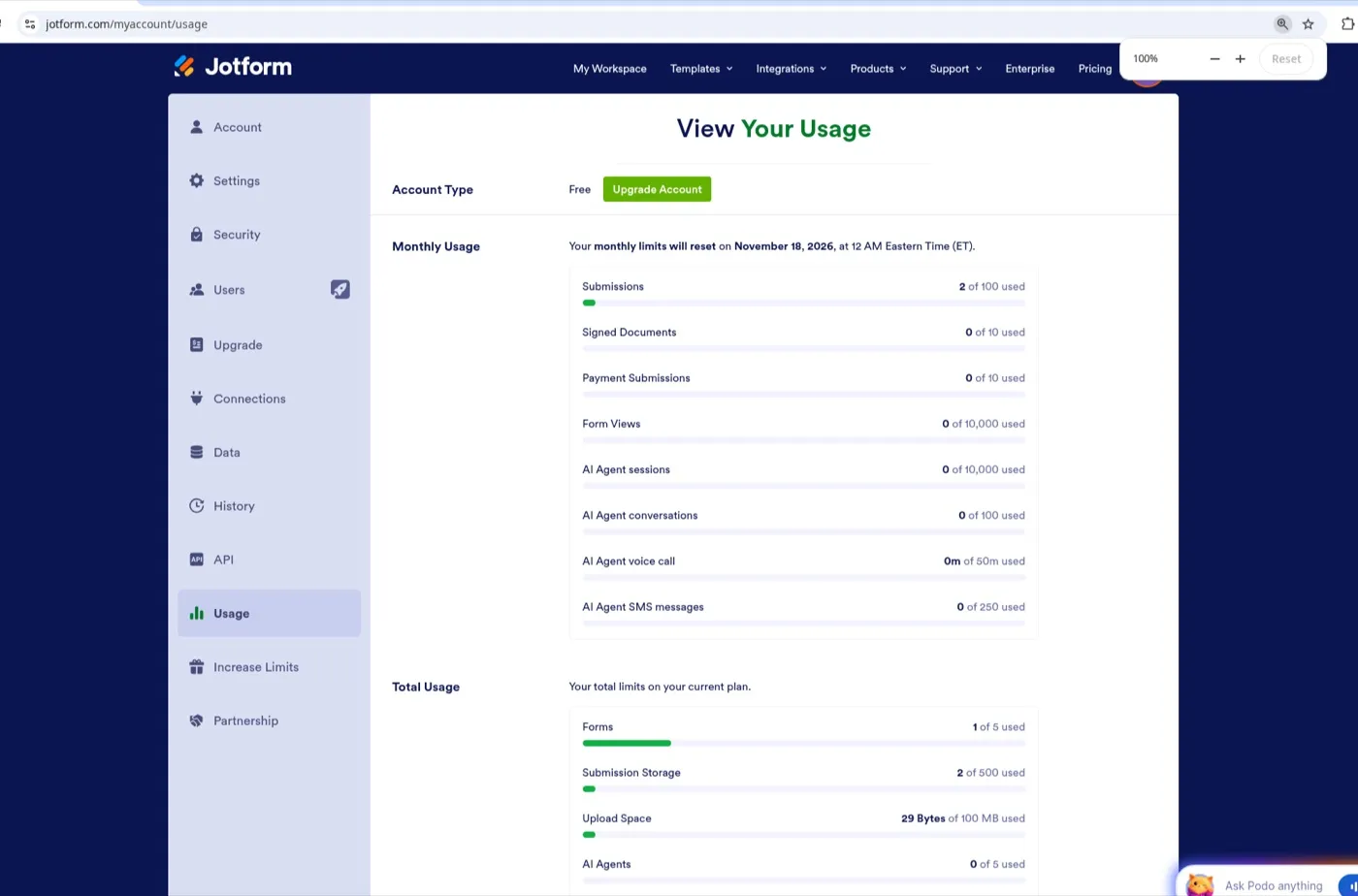
Our account’s usage page confirmed the 100-submission monthly cap and showed an exact reset date: “Your monthly limits will reset on November 18, 2026, at 12 AM Eastern Time (ET).” That reset date shifts based on when you created your account.
5 active forms
Five forms is tight for a small business that needs a contact page, a booking request, a feedback survey and a payment form. We created five forms on the free plan and clicked CREATE FORM a sixth time. After a short spinner, Jotform showed a modal: “You have reached your form limit. Starter accounts are limited to 5 forms. Delete an existing form or upgrade to increase your form limit.”
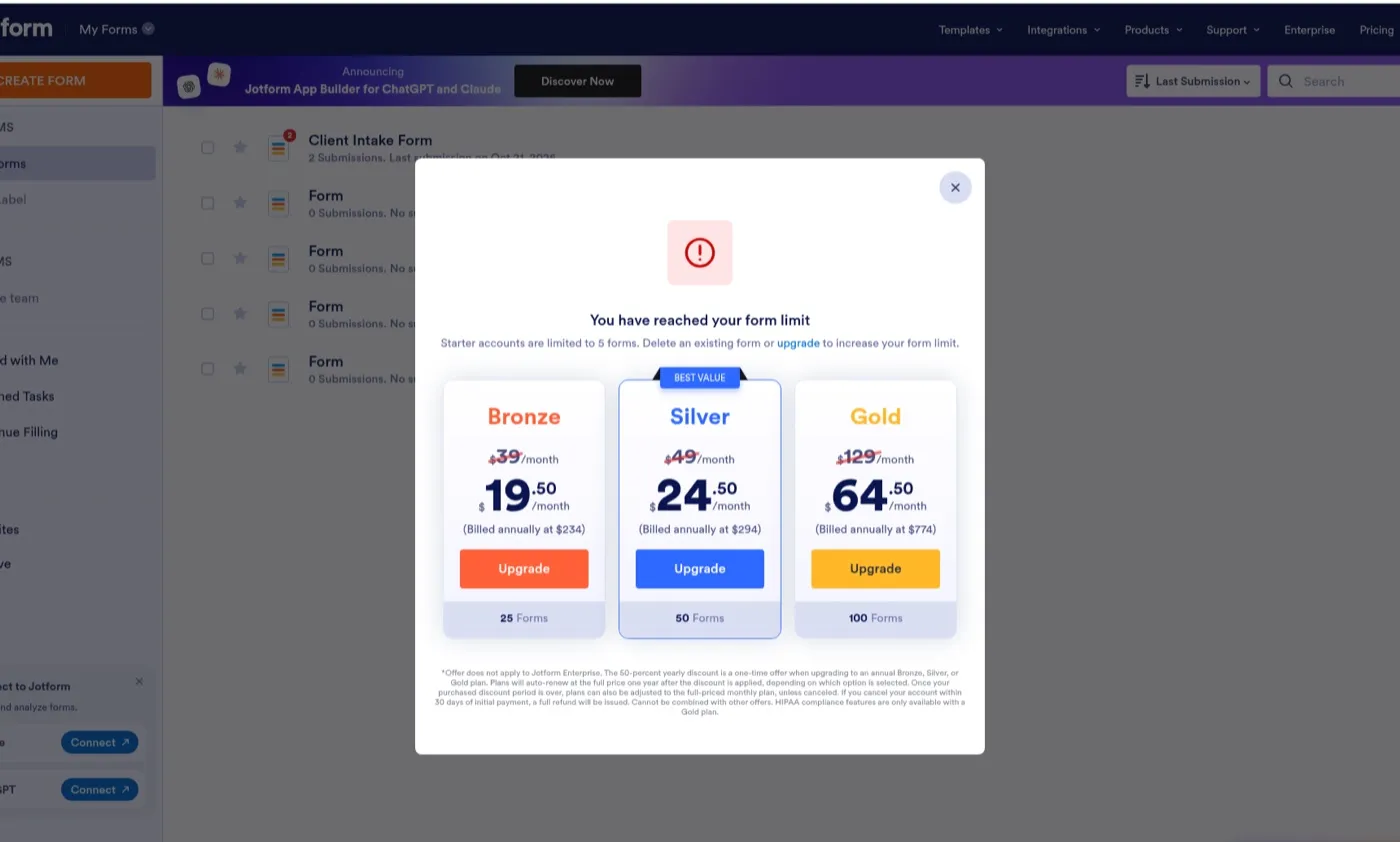
The modal displayed Bronze, Silver and Gold with a 50% first-year discount (Bronze at $19.50/mo billed annually at $234, Silver at $24.50/mo at $294, Gold at $64.50/mo at $774). The fine print said the discount is a one-time offer and plans auto-renew at the full price after the first year. Regular yearly pricing on the pricing page is higher: Bronze $34/mo, Silver $39/mo, Gold $99/mo.
10 payment submissions a month
Jotform connects to Stripe, PayPal, Square, Authorize.Net, Mollie, Venmo, Cash App Pay, Klarna and about 20 other processors. You can add any of them on the free plan. We opened the Payments tab in the form builder and every gateway was selectable with no lock icons or paid-only labels.
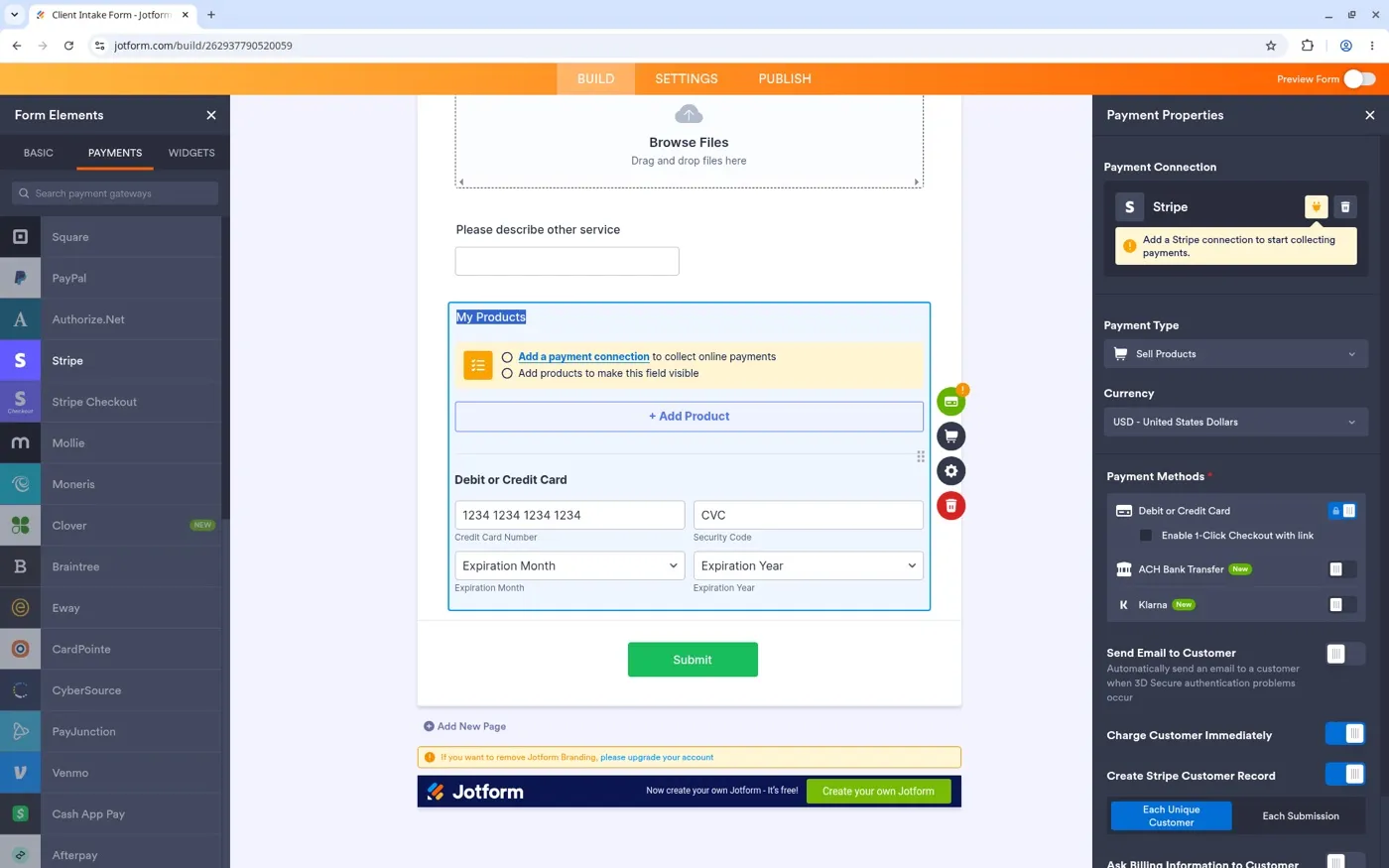
The catch is the 10-payment-submission cap. Selling a $49 digital product to 11 customers in a month means the eleventh buyer hits a wall. Bronze raises that to 100.
100 MB upload space
If your forms accept file uploads from clients (portfolios, receipts, documents), 100 MB fills up after a few dozen submissions with images or PDFs attached. We uploaded a small text file and the usage page tracked it to the byte: “29 Bytes of 100 MB used.” Bronze bumps the space to 1 GB. Gold raises it to 100 GB.
Jotform branding
Free forms show a dark footer bar at the bottom: “Now create your own Jotform - It’s free!” with a green “Create your own Jotform” button. The same banner appears on the thank-you page after a visitor submits the form. The form builder warns: “If you want to remove Jotform Branding, please upgrade your account.”
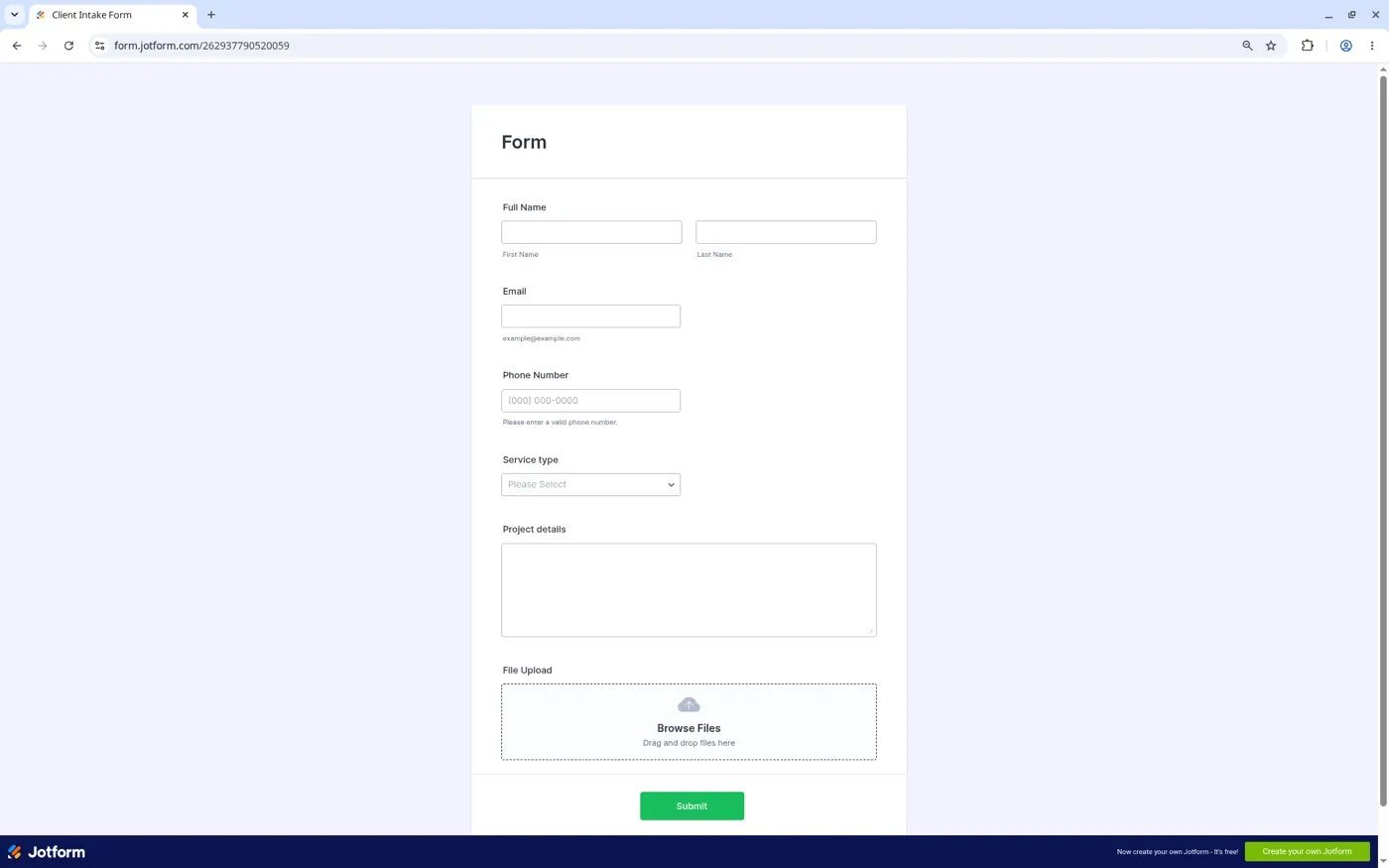
If you send forms to paying clients or embed one on a professional site, the badge can look off. On Bronze you can drop the Jotform mark and swap in your own logo.
Other limits to know
500 total submission storage. This is separate from the monthly 100-submission cap. Once your account holds 500 stored submissions across all time and all forms, Jotform may block new ones until you delete old data or upgrade. We saw this as a “Total Usage” number on the usage page. Bronze stores 10,000.
100 fields per form. Most intake and order forms stay well under this. A product catalog form with dozens of conditional items could push it. Bronze allows 250 fields.
10 signed documents per month. Jotform Sign lets recipients sign forms as PDFs. The free plan allows 10 per month. If you send contracts or waivers, Bronze at 100 covers a small practice.
10,000 form views per month. A form view is one page load. A form embedded on a page that gets 500 visits a day would exceed this in 20 days. Bronze raises it to 100,000. Our usage page showed 0 form views despite several page loads during testing, so this counter may update with a delay.
AI agents. Jotform includes AI agents on the free plan: 5 active agents, 10,000 sessions, 100 conversations, 50 voice call minutes, and 250 SMS messages per month. We did not test this feature.
What we tested
On October 22, 2026 we created a free Jotform account and built an eight-field intake form from scratch using the Classic form layout. The form had Full Name (first/last), Email, Phone Number, a Service type dropdown (Website, Logo, Social media, Other), a Project details long text field, a File Upload field, and a conditional short text field (“Please describe other service”).
We set up a conditional logic rule in Settings > Conditions: IF Service type IS EQUAL TO “Other,” SHOW “Please describe other service.” The condition saved and worked on the published form. When we selected “Other” in the dropdown, the extra field appeared. Any other dropdown choice kept it hidden.
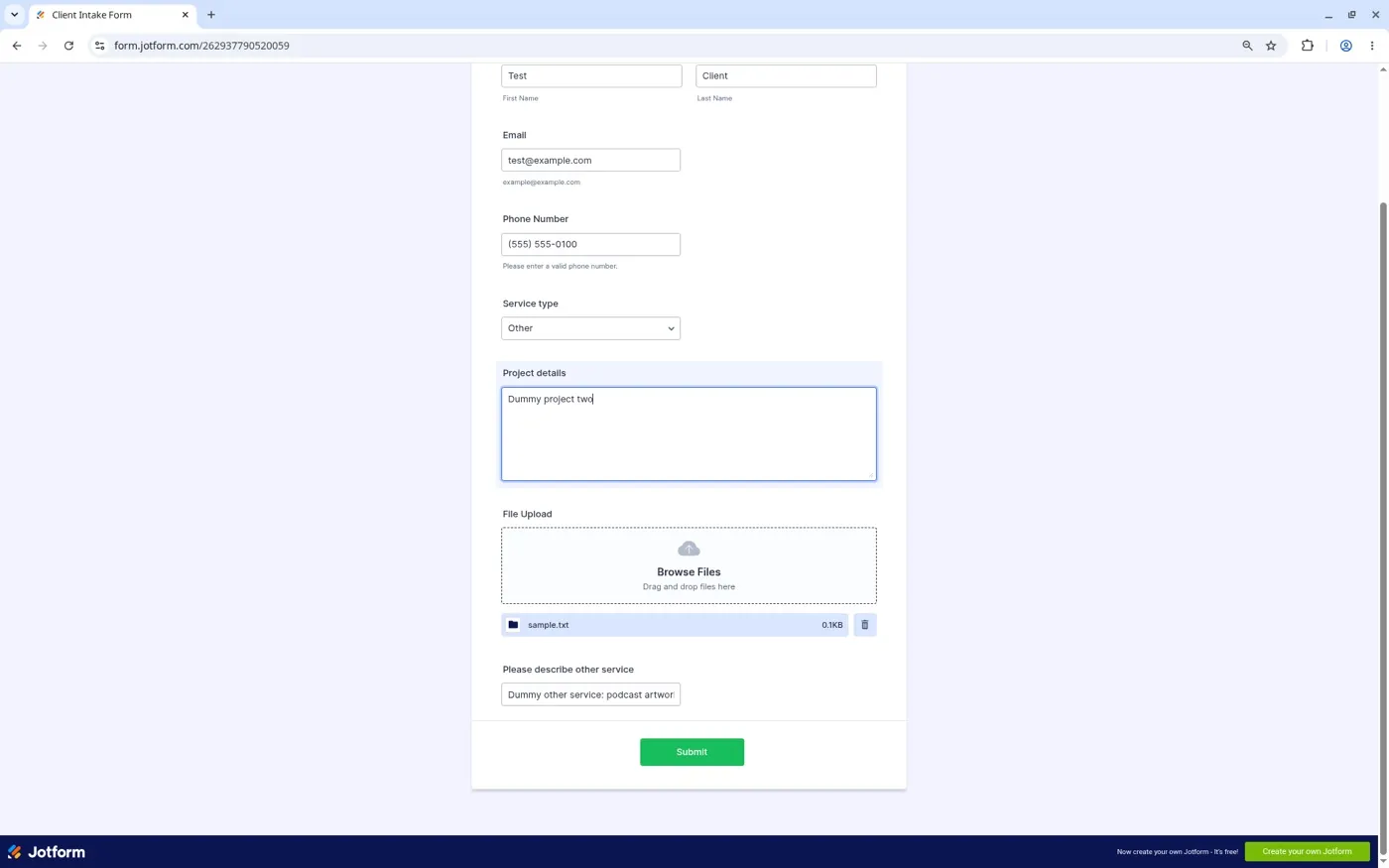
We submitted the form twice with dummy data (Test Client / test@example.com / 555-0100). Both submissions went through. The second submission included a file upload (sample.txt, 0.1 KB) and the conditional field filled in. The My Forms page showed “Client Intake Form - 2 Submissions.”
We then created four more blank forms to reach the 5-form cap and tried to create a sixth. Jotform blocked it with the upgrade modal described above.
We opened the Payments tab and confirmed that every payment gateway (Stripe, PayPal, Square, Authorize.Net, Mollie, Venmo, Klarna and more) was selectable on the free plan. We added Stripe as a test, saw the card number fields and payment configuration options, and deleted the payment element again without connecting a gateway.
Try building your first form on Jotform's free planPricing (verified October 22, 2026)
We read every price below on Jotform’s pricing page on October 22, 2026.
| Plan | Monthly | Billed yearly | Submissions/mo | Forms | Payments/mo |
|---|---|---|---|---|---|
| Starter (Free) | $0 | n/a | 100 | 5 | 10 |
| Bronze | $39 | $34/mo ($408/yr) | 1,000 | 25 | 100 |
| Silver | $49 | $39/mo ($468/yr) | 2,500 | 50 | 250 |
| Gold | $129 | $99/mo ($1,188/yr) | 10,000 | 100 | 1,000 |
| Enterprise | Custom | Custom | Custom | Custom | Custom |
Yearly billing on Bronze saves $60 a year compared to monthly ($408 versus $468). On Silver the gap is $120 ($468 versus $588). Those are our calculations from the page prices.
When we hit the 5-form limit on the free plan, the upgrade modal offered a 50% first-year discount on annual plans: Bronze at $19.50/mo ($234/yr), Silver at $24.50/mo ($294/yr), Gold at $64.50/mo ($774/yr). The fine print said the discount is a one-time offer and plans renew at the full price after the first year.
Nonprofits and educational institutions get 50% off Bronze, Silver and Gold, and 30% off Enterprise, per the pricing page.
Start on Jotform's free planSupport, cancellation and refunds
Everything in this section comes from Jotform’s pricing page and security page, read on October 22, 2026.
Support. Jotform lists 24/7 customer support on all plans, including the free plan. The security page mentions a contact form for support requests.
Cancellation. The pricing page says “Cancel Anytime” with no early-termination fee. We have not gone through the cancellation flow ourselves.
Refund. The pricing page states a “Full refund within 30 days of payment.” The upgrade modal’s fine print confirmed this: “If you cancel your account within 30 days of initial payment, a full refund will be issued.” This is broader than most SaaS tools we’ve reviewed: ElevenLabs refunds only if you haven’t used a credit, and Make says fees are non-refundable. We have not tested the refund process.
What happens to your data. Jotform’s security page says users can manually download backups via account settings, and the platform runs hourly snapshots stored for 30 days. We have not confirmed what happens to forms and submissions if you downgrade from a paid plan to the free Starter plan while over the free limits.
What we didn’t like
The 100-submission monthly cap is the smallest free-plan allowance among the form builders we track. Google Forms has no submission limit. Tally’s free plan allows unlimited submissions (subject to fair usage guidelines per Tally’s pricing page, verified October 27, 2026), with no cap on the number of forms.
If Jotform’s 100-submission cap is the main thing holding you back, try Tally's free plan before upgrading Jotform.
Payment submissions have a separate cap that the pricing page buries in the comparison table. A solopreneur who starts collecting payments may not realize the 10-payment limit until a customer’s form fails.
The “total submission storage” concept is confusing. Your monthly cap resets, but the lifetime storage cap does not, so old submissions from months ago count against the 500 total on the free plan.
Jotform branding stays on every free form and on the thank-you page with no option to hide either one. Sending a branded form to a paying client or embedding one on a professional site looks off.
The form builder loads a “Form Copilot” AI chat panel on first use that can steal keyboard input. We had to close it before we could type in dropdown option labels.
Which plan should you pick?
You run a personal site with one contact form that gets fewer than 100 responses a month. Stay on Jotform's free Starter plan. Five forms and 100 submissions cover a light-traffic site with room to spare.
You sell a service and take bookings or payments through your forms. Move to Jotform Bronze on yearly billing at $34 a month. The 10-payment cap on the free plan is too low for anyone who collects money, and Bronze removes the Jotform badge from your forms.
You need signed contracts or waivers from more than 10 people a month. Bronze covers 100 signed documents. Therapists, trainers and freelancers who onboard clients with a signed intake form will hit the free limit fast.
You process high volume. If your forms pull in thousands of submissions, Silver at $39 a month yearly (2,500 submissions, 250 payments) or Gold at $99 a month yearly (10,000 submissions) fits better. Gold adds HIPAA features for healthcare.
You already use Google Forms and want more. Jotform adds conditional logic, payment collection, PDF generation and 100+ integrations that Google Forms lacks. We confirmed that conditional logic and payment gateways both work on the free plan. Start free to test the builder, then upgrade when you hit a cap.
Our Zapier alternatives guide covers how Jotform fits into a larger automation stack with Make or n8n.
FAQ
How many forms can I create on Jotform’s free plan?
Five. We tested this: after creating five forms, clicking CREATE FORM showed an upgrade modal. Deleting or archiving a form frees up a slot. Jotform Bronze raises the limit to 25.
What happens when I hit 100 submissions on the Jotform free plan?
Jotform’s usage page shows “2 of 100 used” and a reset date (in our case, November 18, 2026). We did not exhaust the full 100 to test what happens after. On paid plans Jotform shows an upgrade prompt. The monthly cap resets on your account’s billing cycle.
Does the Jotform free plan include payment processing?
Yes, with a cap. We opened the Payments tab in the form builder and every gateway (Stripe, PayPal, Square, Authorize.Net, Venmo, Klarna and more) was selectable on the free plan with no lock icons. Jotform limits you to 10 payment submissions a month. The payment processor’s own fees (such as Stripe’s 2.9% + 30 cents) apply on top.
Can I remove Jotform branding on the free plan?
No. The Jotform badge appears on the form and on the thank-you page. We saw both during our test. Removing it requires Bronze ($34/month yearly) or higher.
Does conditional logic work on Jotform’s free plan?
Yes. We created a show/hide rule (IF Service type IS EQUAL TO “Other,” SHOW a text field) and it worked on the published form. No upgrade was required.
Is there a free trial of Jotform’s paid plans?
The free Starter plan has no time limit and needs no card. It is Jotform’s trial. If you upgrade and change your mind, Jotform offers a full refund within 30 days per the pricing page and the upgrade modal’s fine print.
Does Jotform store my data securely?
Jotform uses 256-bit SSL for data in transit and hosts on Google Cloud and AWS in the US and EU. The security page, read on October 22, 2026, lists PCI DSS Level 1 compliance for payments, GDPR compliance, and HIPAA features on Gold and Enterprise. SOC 2 certification is available on Enterprise.
How we tested
On October 22, 2026 we created a brand-new free Jotform account (Starter plan). We built an eight-field Client Intake Form from scratch using the Classic form layout, added a conditional logic rule, published the form, submitted it twice with dummy data, uploaded a file, created four more forms to hit the 5-form cap, tried to create a sixth form, and checked the Payments tab for gateway availability.
We recorded every limit from the account’s usage dashboard at jotform.com/myaccount/usage and compared the numbers against Jotform’s pricing page, security page and help resources, all read on the same day. The screenshots in this article are from that test session.
We did not: exhaust the 100-submission monthly cap, connect a payment gateway, process a real payment, test the refund or cancellation flow, or test Jotform Sign or AI agents. Features we did not try are labeled “not tested” in the article. More on our test method is on the About page.
Final verdict
Start on the free plan. Build your first intake or contact form and see how far 100 submissions and 5 forms take you. Conditional logic and payment gateways work on free, so you can test the full builder before paying. When you hit a cap or need to drop the Jotform badge, upgrade to Bronze at $34 a month yearly. The 30-day refund window gives you a full month to decide.
Build your first form on Jotform free